EDIT: Found a result I'm alright with. Feel free to ignore, can't find a delete button
Hello, having an issue I'm not really sure how to fix
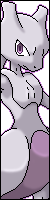
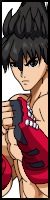
Here is the reference image used to build the palette. The shirt and head have been posterized to make as much room for the blue ramp as possible
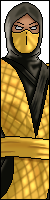
This is how the image imports when copied directly into FFS from the clipboard. The color distribution is as ideal as I can get it
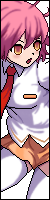
However, when importing through the 'add one or more sprites' function, and forcing the specified palette, this is how it ends up
The blue transitions are super jarring despite having the most shades out of any other color (among other grossness, like the sandals and right side of the shirt)
There's really no reason it should look like this when it's been proven to look otherwise
I know it has to do with the algorithm within 'add one or more,' but hand copying and pasting frame by frame is infeasible for a character of this framecount
This wouldn't be that big of a deal otherwise, as the character is sized down in engine which blends the colors together
But the compression is super obvious and ugly looking even at that size. Is there anything I can do to get a result closer to the clipboard blues??
I understand this wouldn't be nearly as big of a problem if I didn't have the rimlighting soaking up most of the palette's shades, but I'd ideally like it to look as close to the original game as possible, so I'd like to keep it if I'm able












Question
Charodon
EDIT: Found a result I'm alright with. Feel free to ignore, can't find a delete button


Hello, having an issue I'm not really sure how to fix
Here is the reference image used to build the palette. The shirt and head have been posterized to make as much room for the blue ramp as possible
This is how the image imports when copied directly into FFS from the clipboard. The color distribution is as ideal as I can get it
However, when importing through the 'add one or more sprites' function, and forcing the specified palette, this is how it ends up
The blue transitions are super jarring despite having the most shades out of any other color (among other grossness, like the sandals and right side of the shirt)
There's really no reason it should look like this when it's been proven to look otherwise
I know it has to do with the algorithm within 'add one or more,' but hand copying and pasting frame by frame is infeasible for a character of this framecount
This wouldn't be that big of a deal otherwise, as the character is sized down in engine which blends the colors together
But the compression is super obvious and ugly looking even at that size. Is there anything I can do to get a result closer to the clipboard blues??
I understand this wouldn't be nearly as big of a problem if I didn't have the rimlighting soaking up most of the palette's shades, but I'd ideally like it to look as close to the original game as possible, so I'd like to keep it if I'm able
0 answers to this question
Recommended Posts
Create an account or sign in to comment
You need to be a member in order to leave a comment
Create an account
Sign up for a new account in our community. It's easy!
Register a new accountSign in
Already have an account? Sign in here.
Sign In Now